¶ Add or Remove Signature
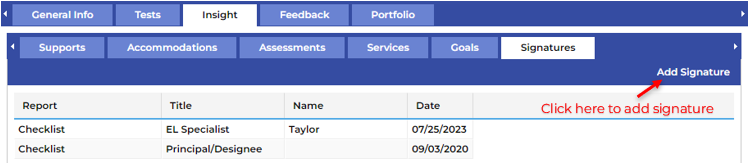
The Signatures tab allows you to add and remove your signature to an individual student’s Accommodations Checklist. To add your signature, click on the Add Signature button on the far right of the bar.
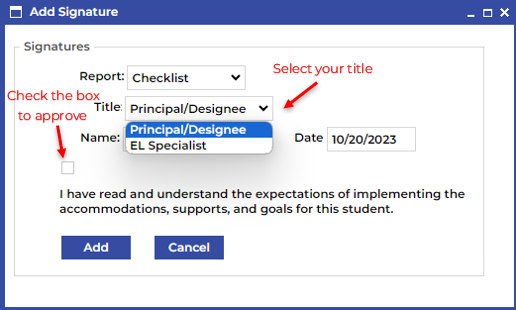
This will produce a secondary menu for you to select your title, approve the accommodations and goals, and add your signature. To remove your signature double click on the record of your signature and click Delete on the secondary menu.